
Track Player Drop-Off with Custom Events & Funnels
Reading Time: 6 minutes
Many MCMetrics features are designed to help you maximize the number of new player joins on your server and to improve player retention immediately after joining (early onboarding). While these are super important, it is equally important to make sure players keep playing on and engaging with your server for many months after they join.
MCMetrics provides you with an incredible tool to track player attention spans called Event Funnels:
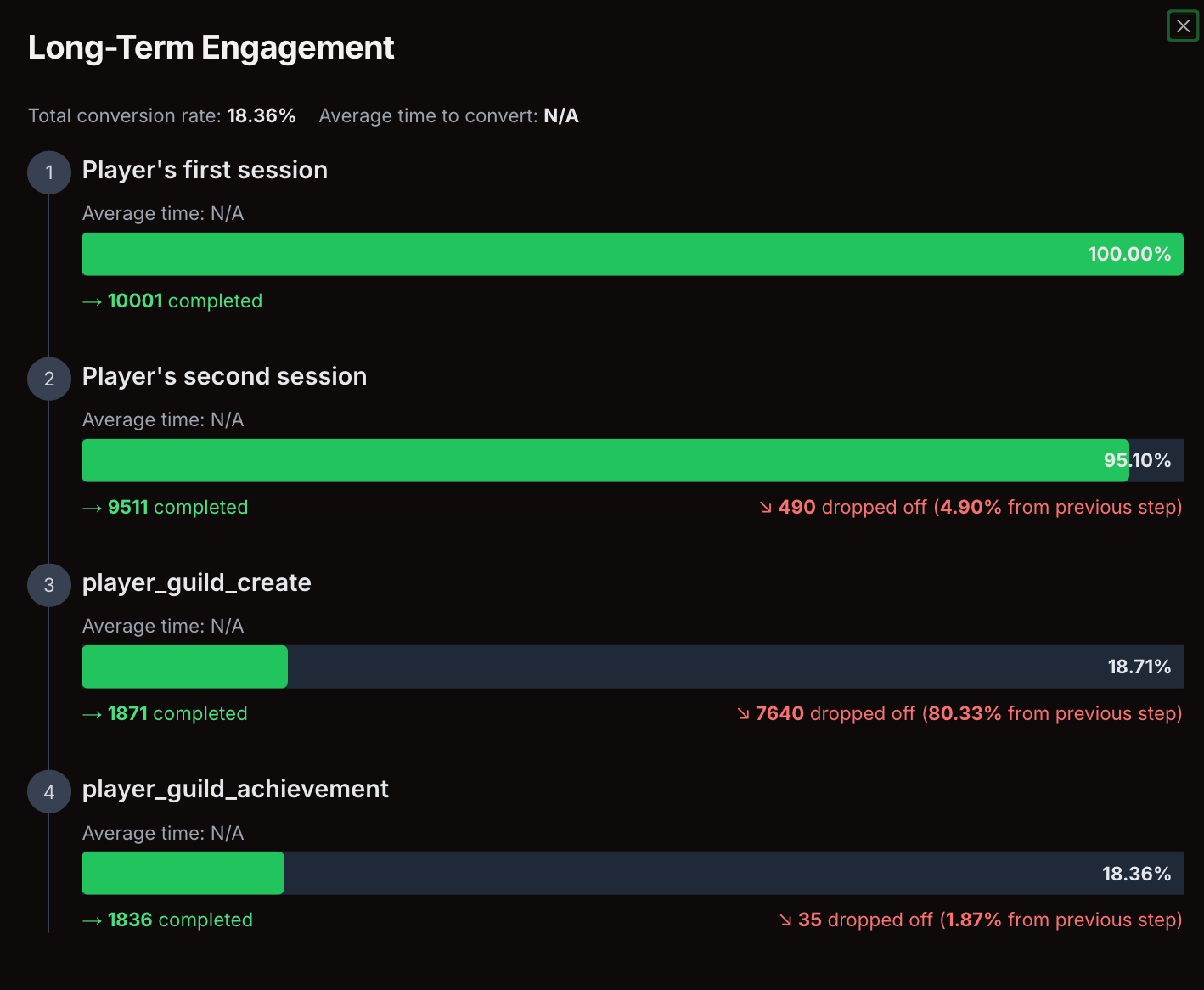
This beautiful chart shows you the milestones at which players stay engaged or get bored. For example, in this case, you can see that if a player joins for the first time, they are very engaged and will come back to play a second time later. However, not a lot of players end up creating a guild. This gives you the powerful insights that you need to make it easier for players to create guilds.
Let's walk through the steps to create these funnels. It's easy!
Step 1: Create custom events
The following events are automatically created by MCMetrics:
- Player first/second/third session
- Player first/second/third payment
To add other events to your funnel, like player_guild_create above, you need to update your Custom Event Config so that the plugin can track it. The MCMetrics dashboard can generate this config for you on the Events Configuration page. Click Generate Custom Event Config:
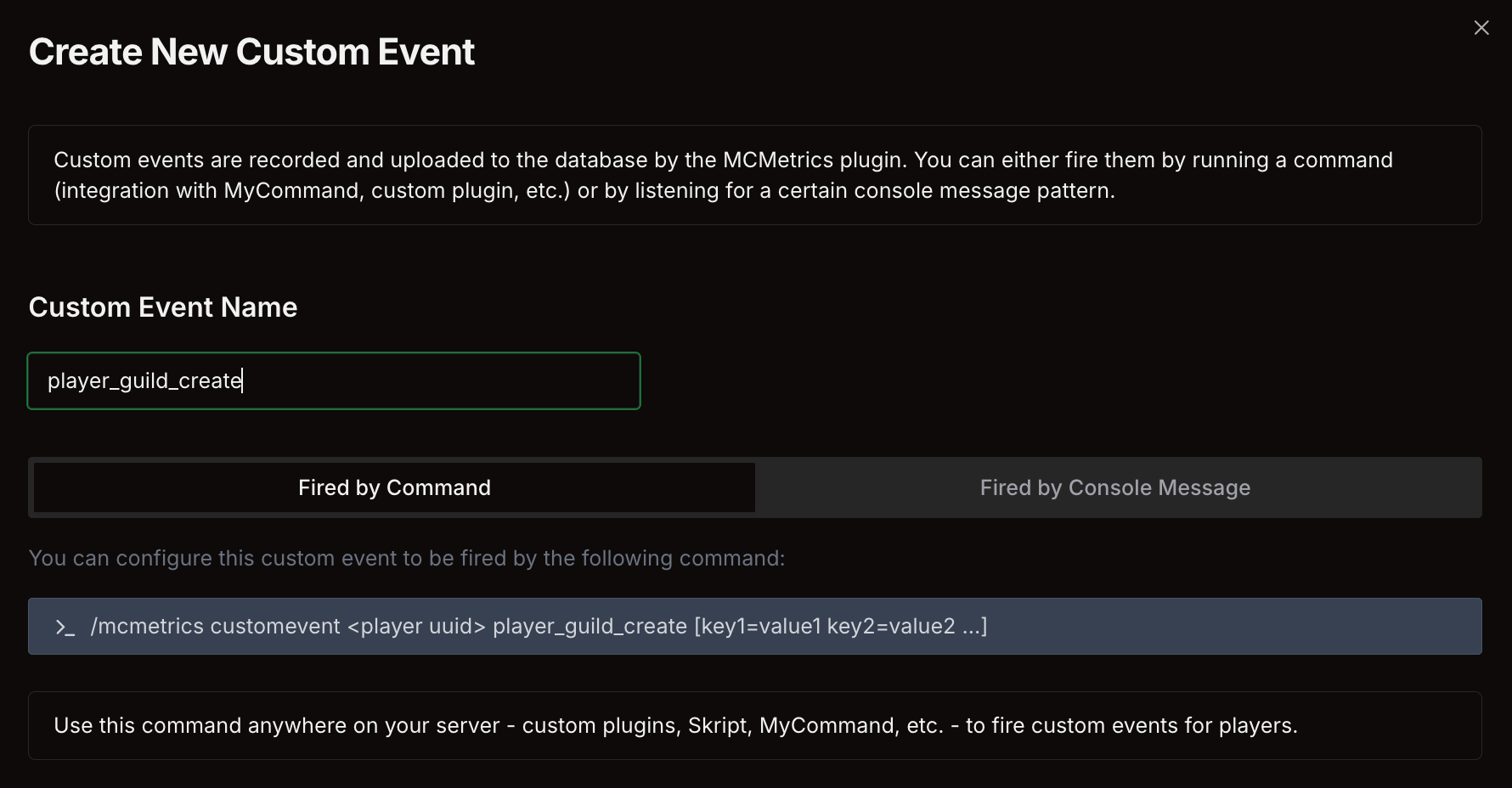
Choose how you want to fire (track) this event. You have 2 options:
OPTION 1 Fire it via console command: Copy the command the dashboard gives you. Run this command however you want, whether that's via external plugin, Java plugin, MyCommand/Skript, etc. make sure to include the player uuid or name.
OPTION 2 Fire it via console message: If a message gets sent to your console whenever this event gets fired, the plugin can automatically detect that message. This might be easier for you to set up.
For example, for player_guild_create, a message like this might get sent to the console:
[2024-09-01T22:05:13] Guild Player73877 created a new guild called MyAwesomeGuild
In this case, get an example of the message in the console (like above). Paste it into the input box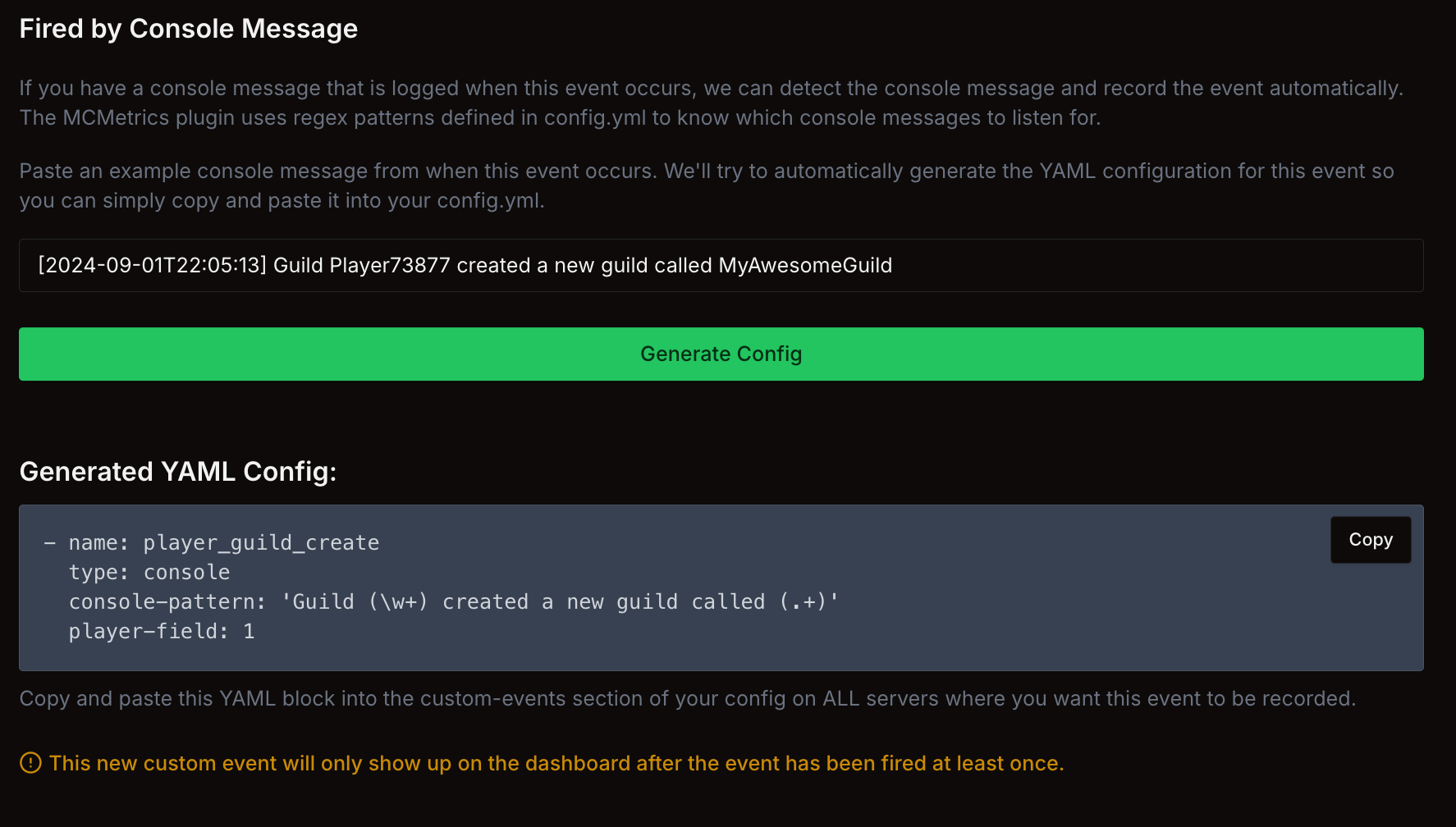
- The dashboard will turn this example message into YML that you can paste into your plugin config. MCMetrics will start tracking this event
We recommend you use one of the 2 options above to track as many events on your server as possible, such as creating a faction, sending a friend request, inviting friends to a skyblock island, etc. This will give you more data to work with when you're creating funnels in the future.
Step 2: Create the funnel
Once you started tracking your server's custom events, you can create a funnel.
- Open the Funnels page on MCMetrics.net
- Click Create Funnel
- Add your custom event steps, e.g.:
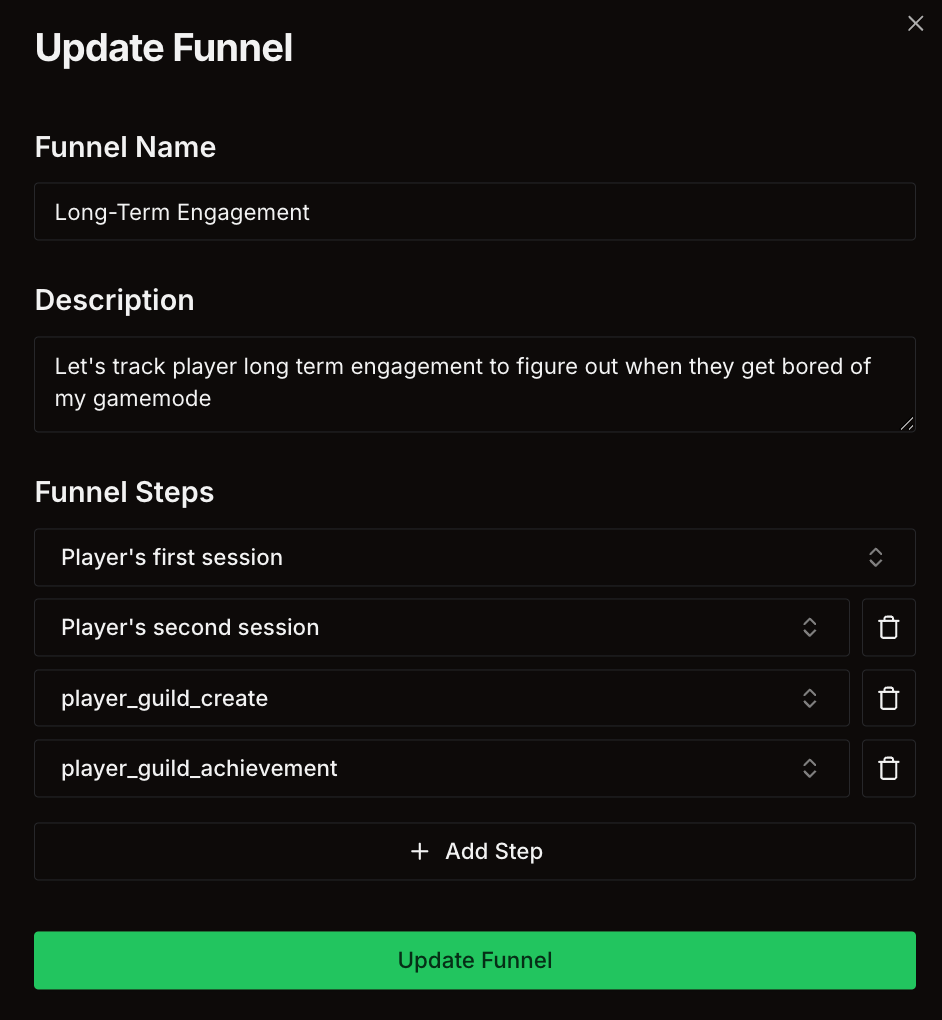
Once you created your funnel, click View Funnel to view the funnel and start studying player attention spans.